 Ai Companion
Help Your Child Speak with Confidence
Give your child personalised English and Chinese oral practice that responds to every answer. With varied questions and adaptive conversations, they can practise expressing their ideas clearly, naturally and confidently.
Oral accounts for 20% of the PSLE English and Chinese examinations.
What the PSLE Oral Actually Tests
Every practice session mirrors the real exam format, so your child walks in knowing exactly what to expect.
Reading Aloud
Clear pronunciation, pacing, and expression — scored the same way examiners do.
Stimulus-Based Conversation
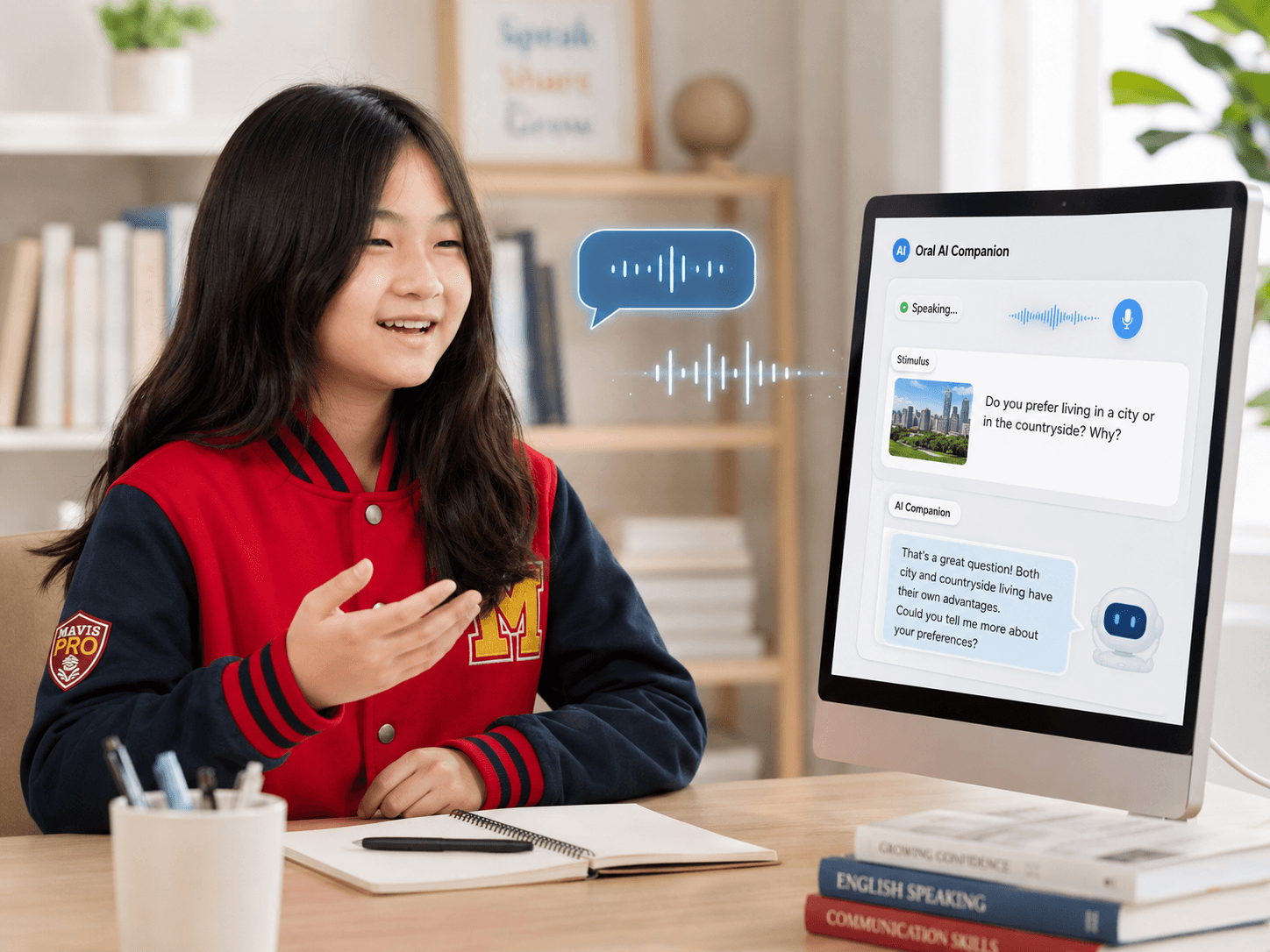
A picture or topic prompt, followed by a real back-and-forth conversation — not a memorised script.
An AI That Actually Listens
Most oral prep apps ask the same fixed list of questions to every student. Mavis Oral AI Companion generates its next question based on what your child just said — the same way a real examiner probes deeper on an interesting answer.
Describe a time you helped someone in your family.
See Exactly What To Improve
Every session ends with a PSLE-style scored report — not just a number, but the specific moments that shaped it.
20+ Practice Themes, Organised for You
Browse by topic to revise what is coming up, or let your child's past scores show you exactly where to focus next.
The Old Way vs. Mavis Oral AI Companion
Generic Oral Prep
- Same fixed questions for every student
- Practice ends when the session ends — no report to review
- Needs a parent or tutor free to listen and give feedback
Mavis Oral AI Companion
- Follow-up questions generated from your child's own answer
- A saved, PSLE-scored report after every session
- Practice anytime, on any device — no one else needs to be free
See It In Action
1. Login
Sign in through Mavis Connect or LMS Portal.
2. Choose
Pick a theme, or let your child's past reports suggest one.
3. Speak
Read the stimulus aloud, then answer naturally — no script.
4. Feedback
Get an instant, PSLE-style scored report.
Mapped against the PSLE English exam
Four papers. Four Ai companions.
Practice across all four components.
PSLE English
- Paper 1 · 25%Composition & Situational WritingCompo Ai Coach
- Paper 2 · 45%Language Use & ComprehensionPredictive Ai Assessment
- Paper 3 · 10%Listening ComprehensionListening Ai
- Paper 4 · 20%Oral CommunicationOral Ai CompanionYou are here
Alongside the Teacher, Never Instead
PRO Ai
PRO Ai extends learning beyond the classroom through additional practice and feedback,
Mavis teachers
while Mavis teachers remain at the heart of teaching and guidance.
Drawing on Mavis's four decades of teaching experience, Mavis PRO Ai complements classroom learning. Students gain more opportunities to practise between lessons, while tutors help them make sense of feedback, strengthen their understanding and take the next step in their learning.
Frequently Asked Questions
Every new joiner receives their first month of Mavis PRO Ai at no cost. Speak to your branch or Customer Service to begin.
Access requires a registered parent mobile number
Mavis Tutorial Centre · 17 branches across Singapore · Learn. Inspire. Achieve.